
For patients
Book and pay online
Choose a treatment, a practitioner and a time, then pay. It takes a few minutes.
You pay the full appointment fee when you book, so there's nothing to pay at the clinic.
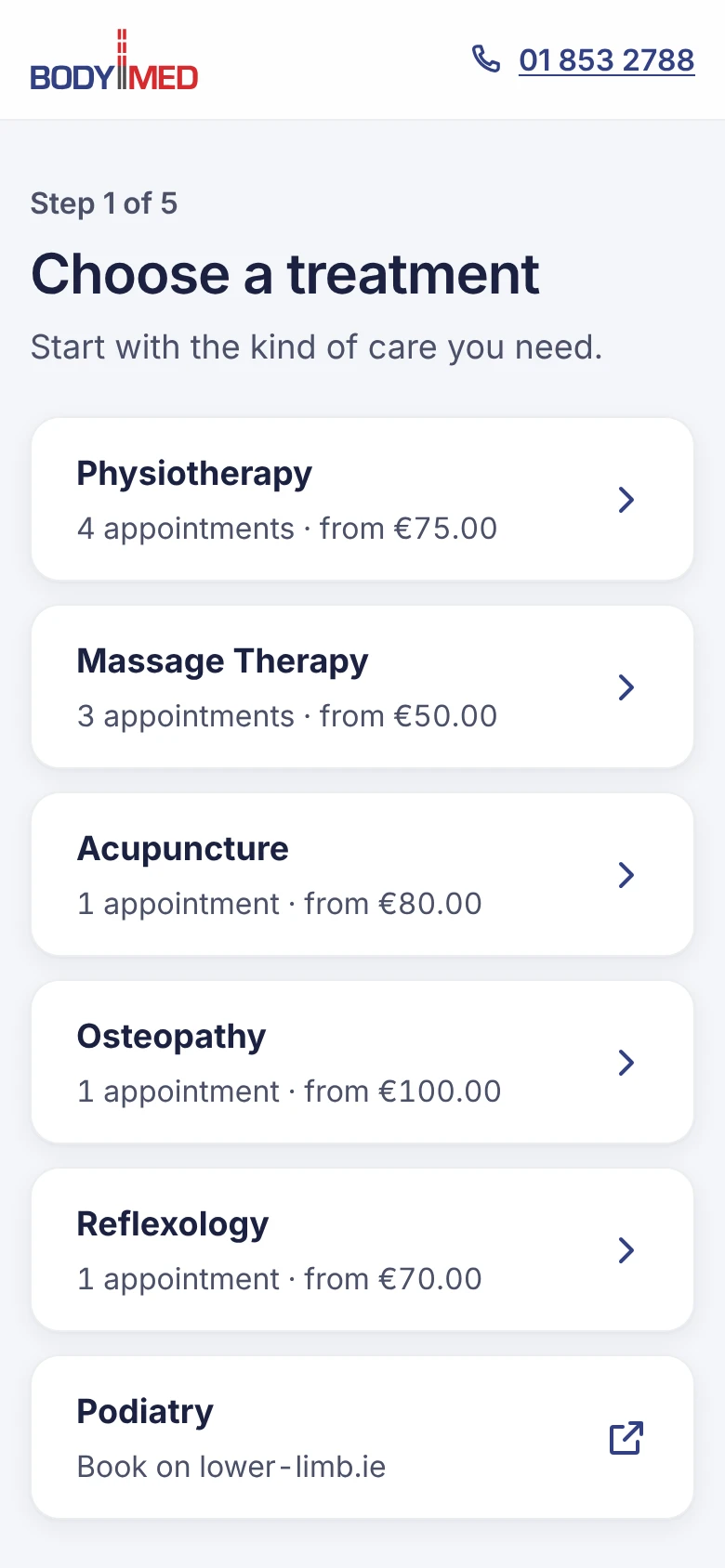
Go to book.bodymed.ie and choose the kind of care you need, such as physiotherapy or massage.
Not sure which? Start with a physio assessment, or call us on 01 853 2788.
 (opens full size in a new tab)
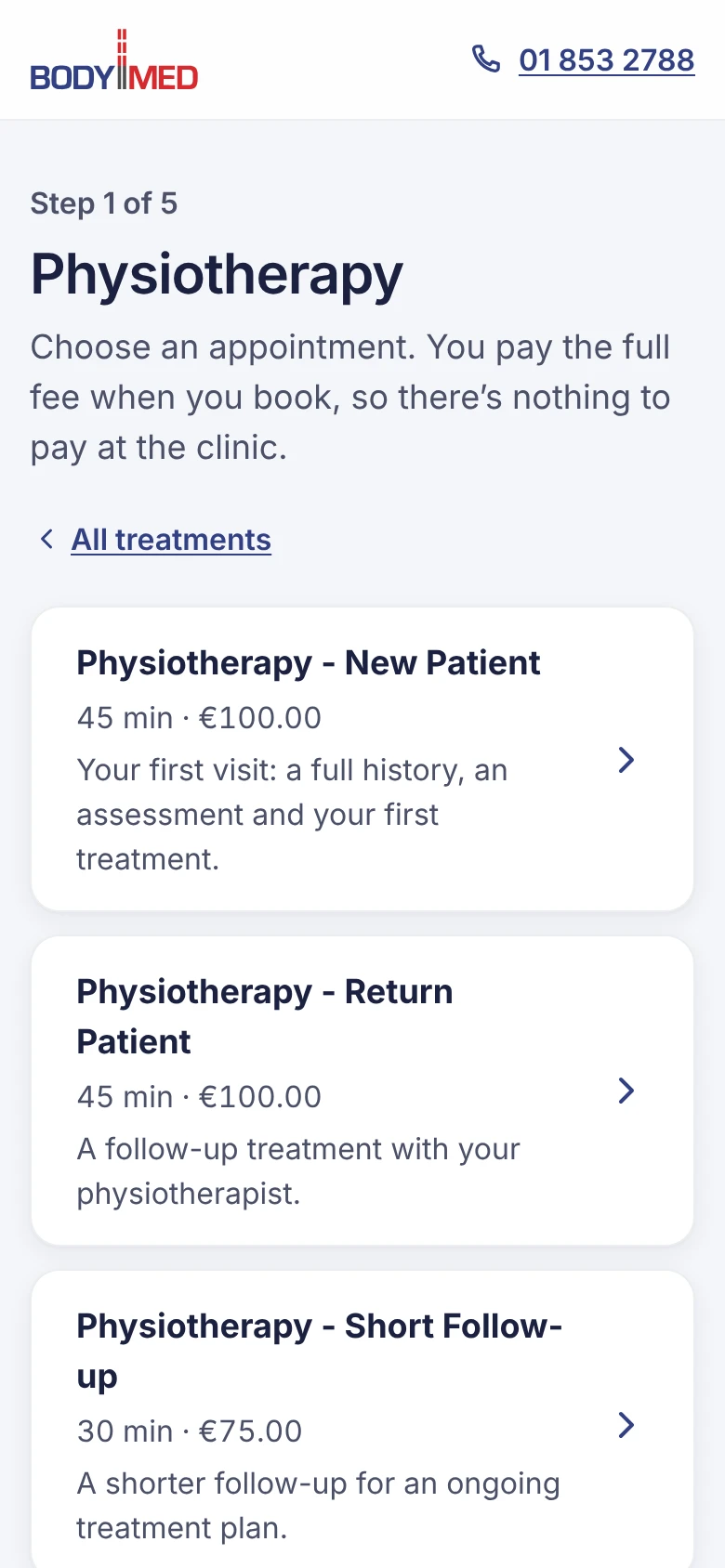
Choose the appointment you need. Each one shows how long it takes and its price.
 (opens full size in a new tab)
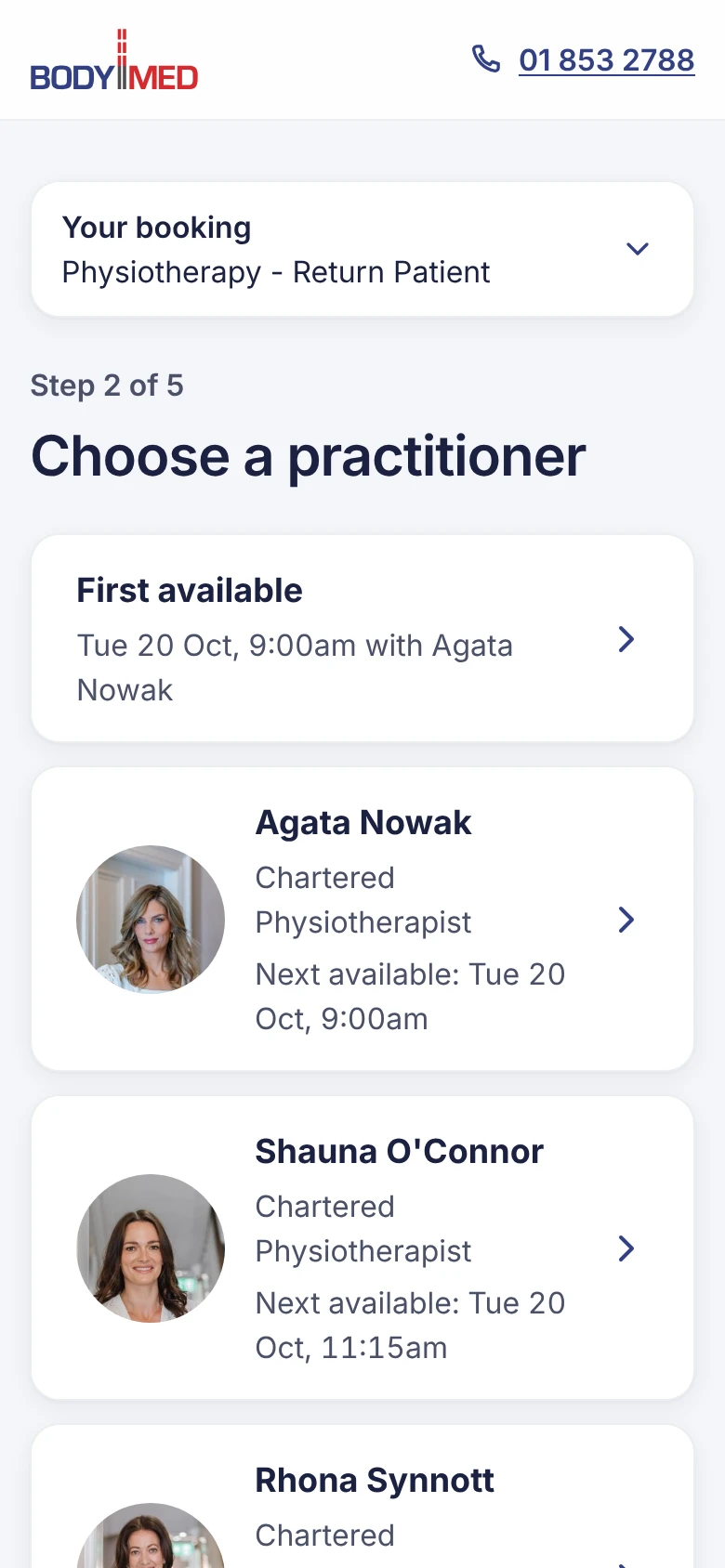
Choose a practitioner, or First available if you don't mind who you see. Each one shows their next free time.
 (opens full size in a new tab)
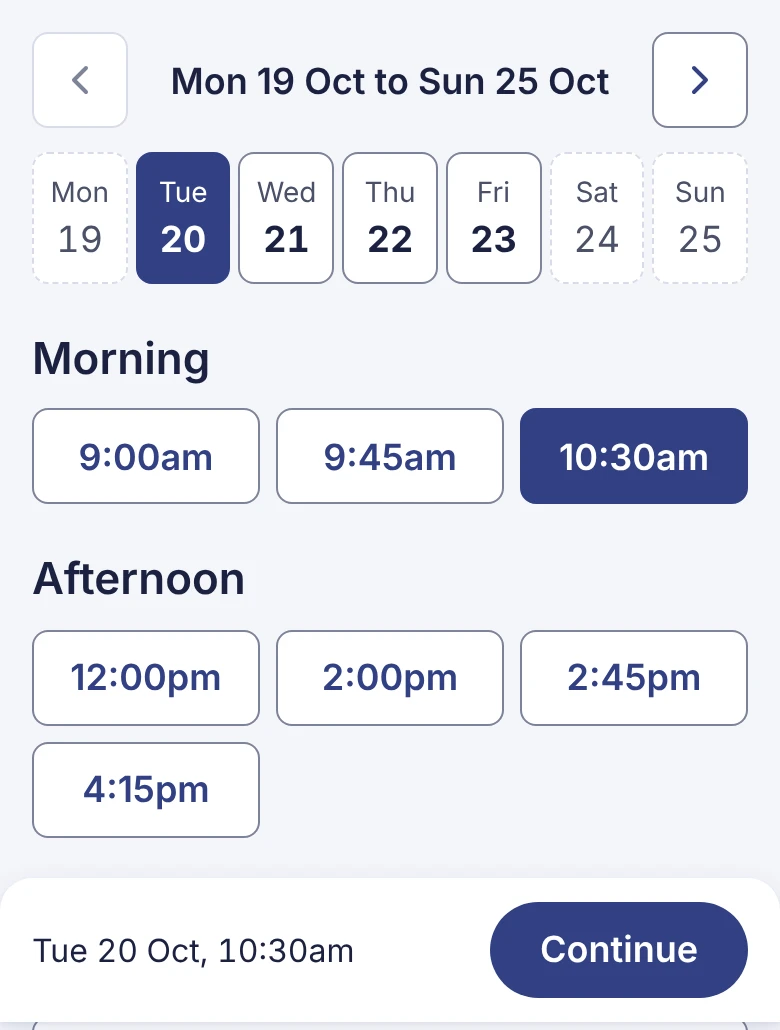
Choose a day, then a time, and press Continue.
Use the arrows to see the next week, or Jump to a date.
 (opens full size in a new tab)
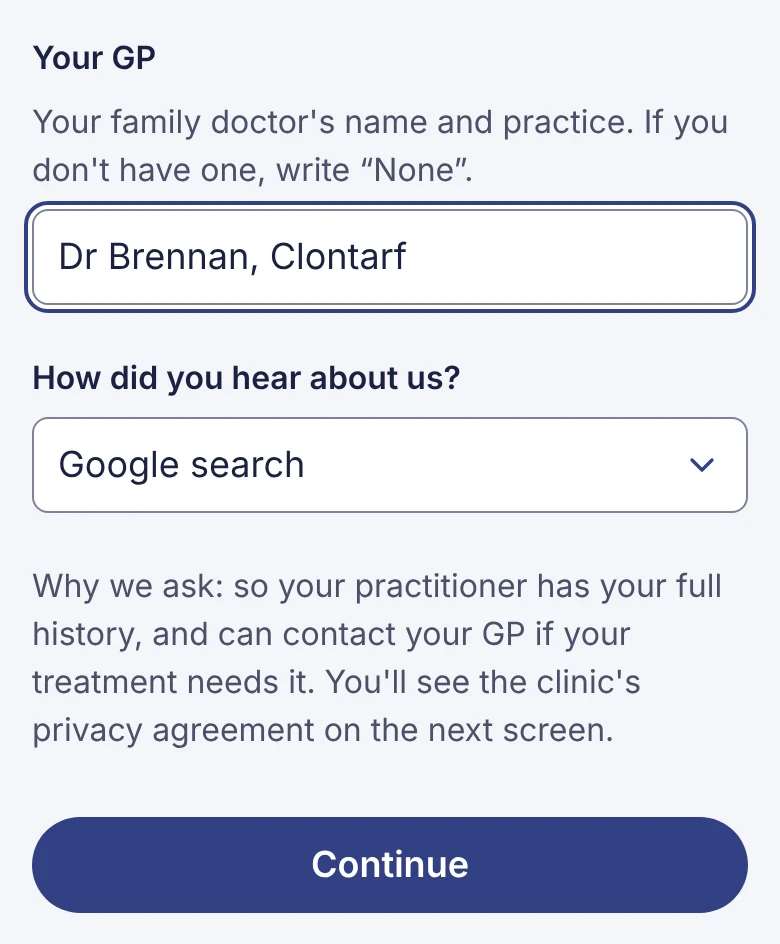
Fill in your details, then press Continue.
We ask everyone the same things, so your practitioner has your full history. See why we ask for each one.
Booked online before? Press Use my saved card at the top instead. See Book again with your saved card.
 (opens full size in a new tab)
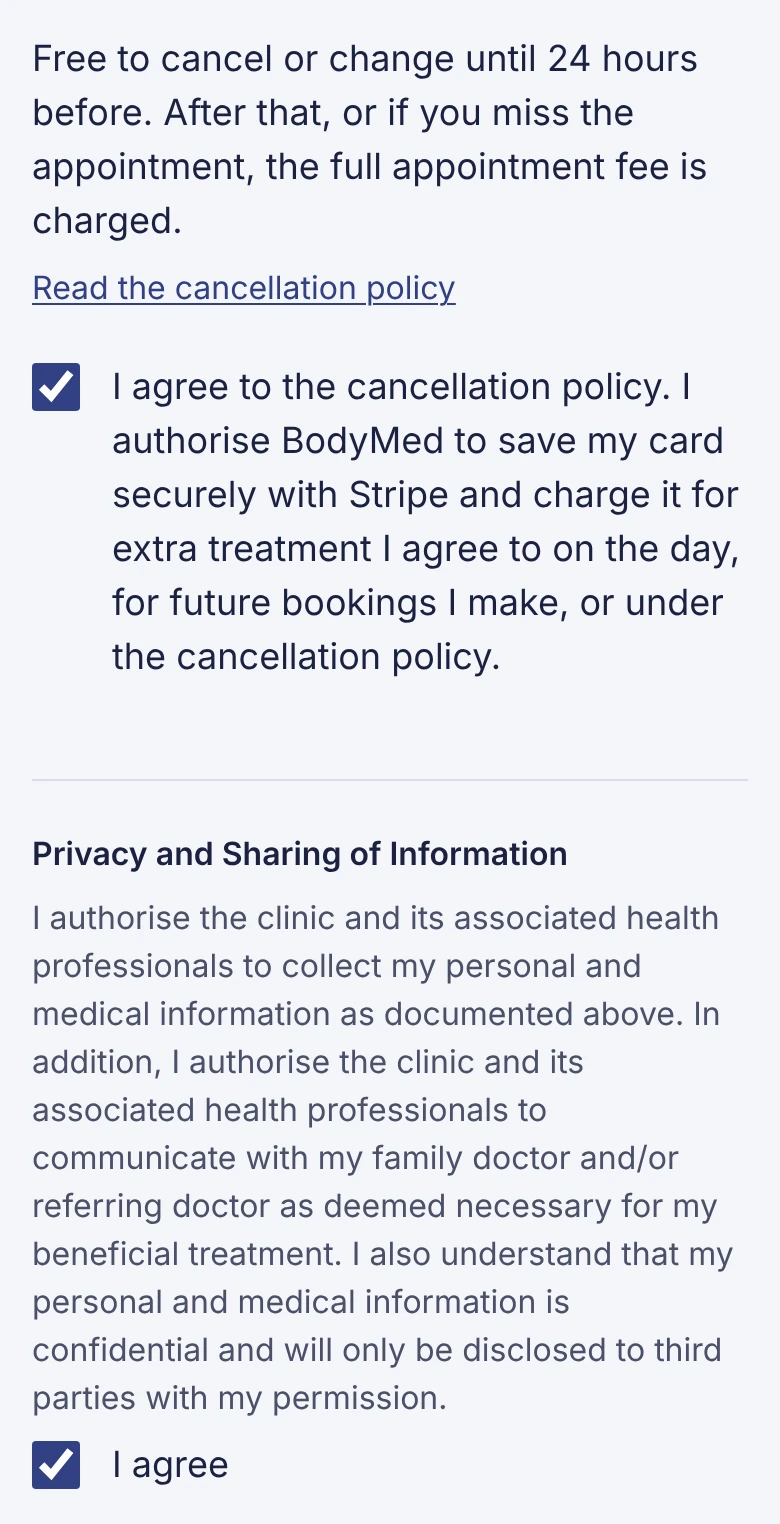
Check everything on Review and pay. Then tick both boxes: the cancellation policy, and the privacy agreement.
Free to cancel or change until 24 hours before. After that, or if you miss the appointment, the full appointment fee is charged.
 (opens full size in a new tab)
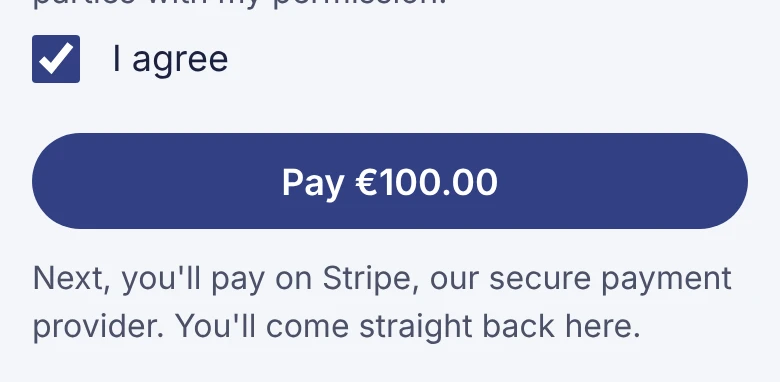
Press Pay €… (it shows the amount). You go to Stripe, our secure payment provider, to enter your card.
 (opens full size in a new tab)
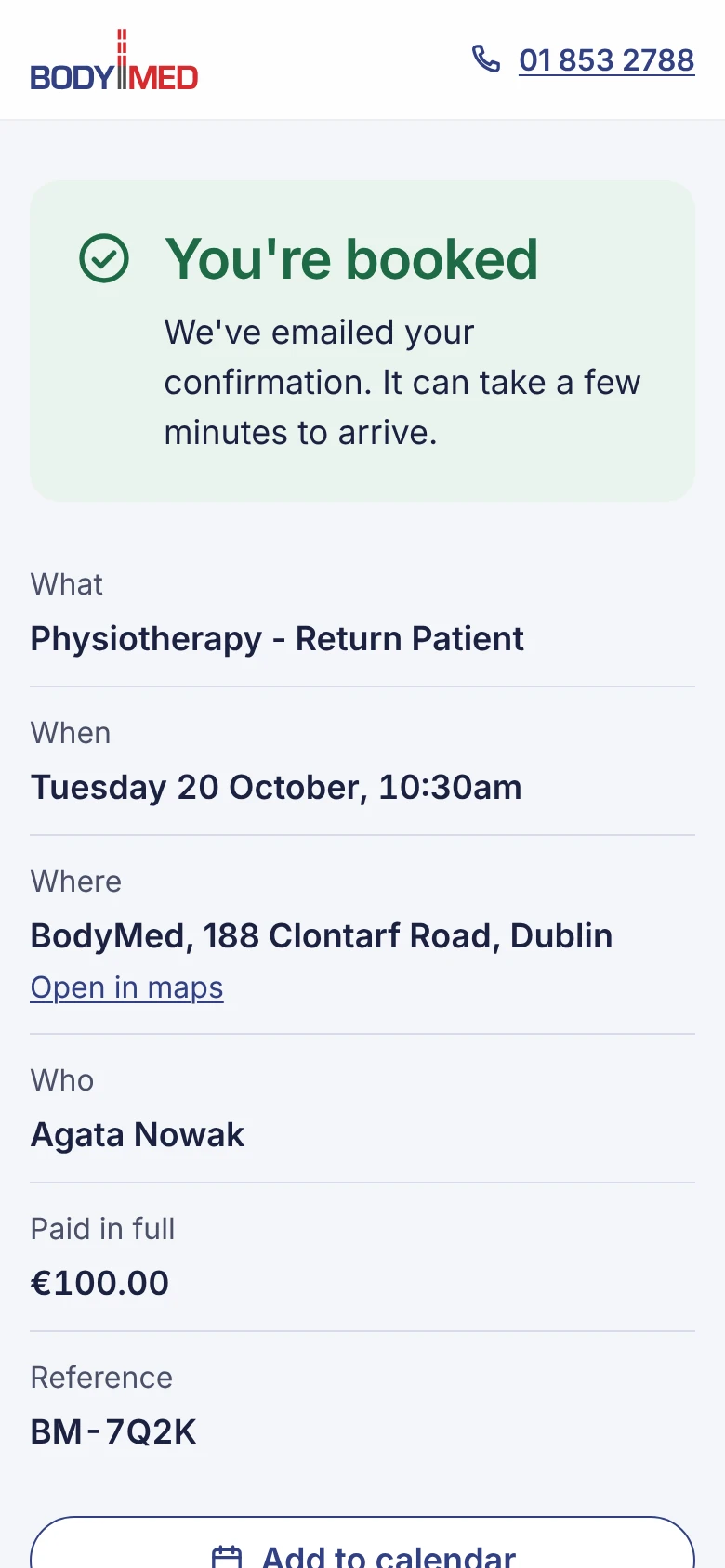
When you've paid, you come straight back to You're booked. Your confirmation email follows within a few minutes.
 (opens full size in a new tab)
If something goes wrong
| You see | What it means |
|---|---|
| You didn't finish paying, so nothing has been charged | You left Stripe's page before paying. Your choices are still there: check them and press Pay again. |
| That time has just been taken | Someone booked it a moment before you. Nothing was charged. Choose another time. |
| Confirming your booking… | Your payment went through and we're putting it in the diary. Keep the page open; it takes a few seconds. |
| We couldn't complete your booking | The time couldn't be booked after you paid, so we've refunded you in full. Please call us on 01 853 2788 to book. |
| Online booking is paused | We've switched off online booking for a while. Please call us on 01 853 2788 to book. |