
For patients
Change or cancel your appointment
Move or cancel your booking yourself, free of charge, up to 24 hours before.
The rule
Free to cancel or change until 24 hours before. After that, or if you miss the appointment, the full appointment fee is charged.
Go to book.bodymed.ie/manage. Type the email you booked with and press Send code.
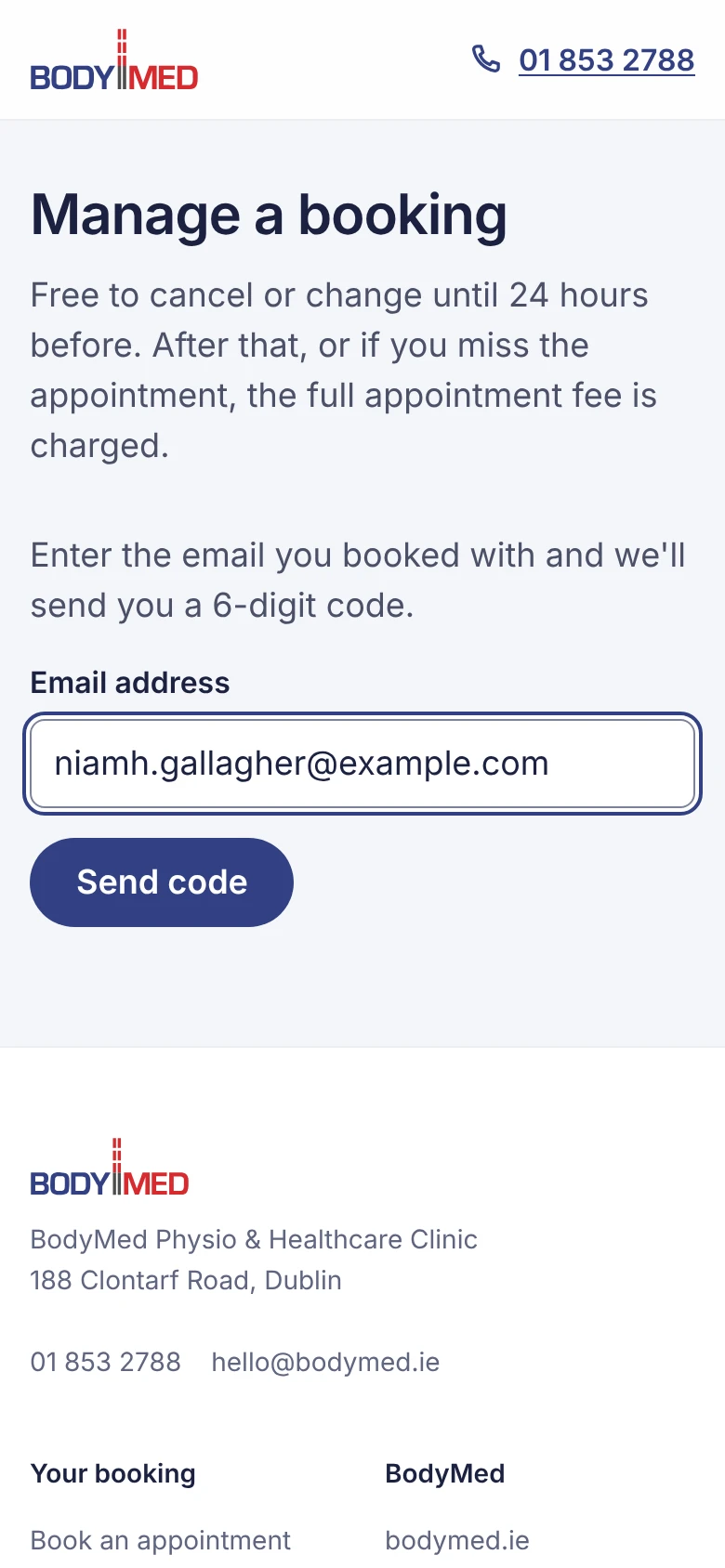 (opens full size in a new tab)
Type the 6-digit code from our email, or tap it above your keyboard on a phone. It checks itself once all 6 digits are in.
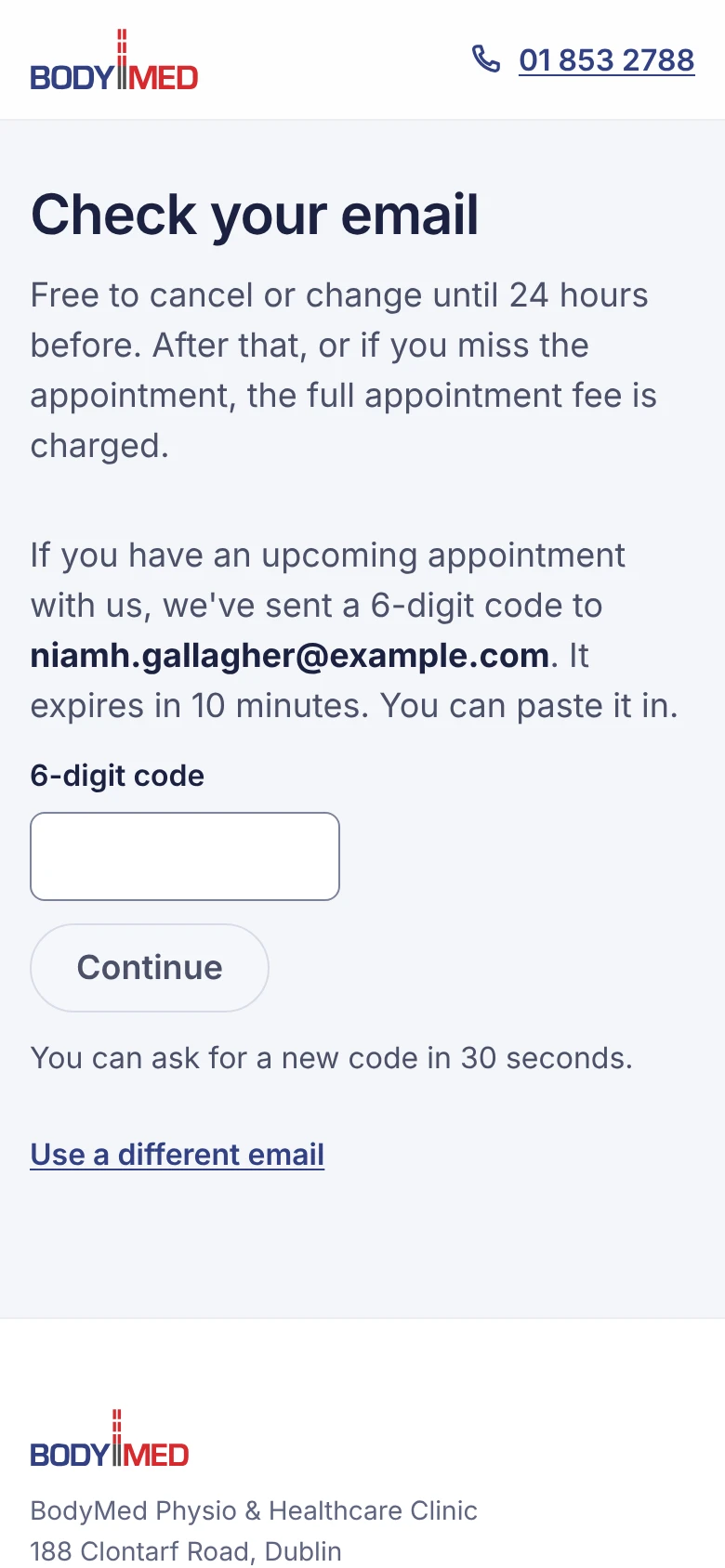 (opens full size in a new tab)
You'll see your upcoming bookings. Press Change time to move one, or Cancel booking to cancel it.
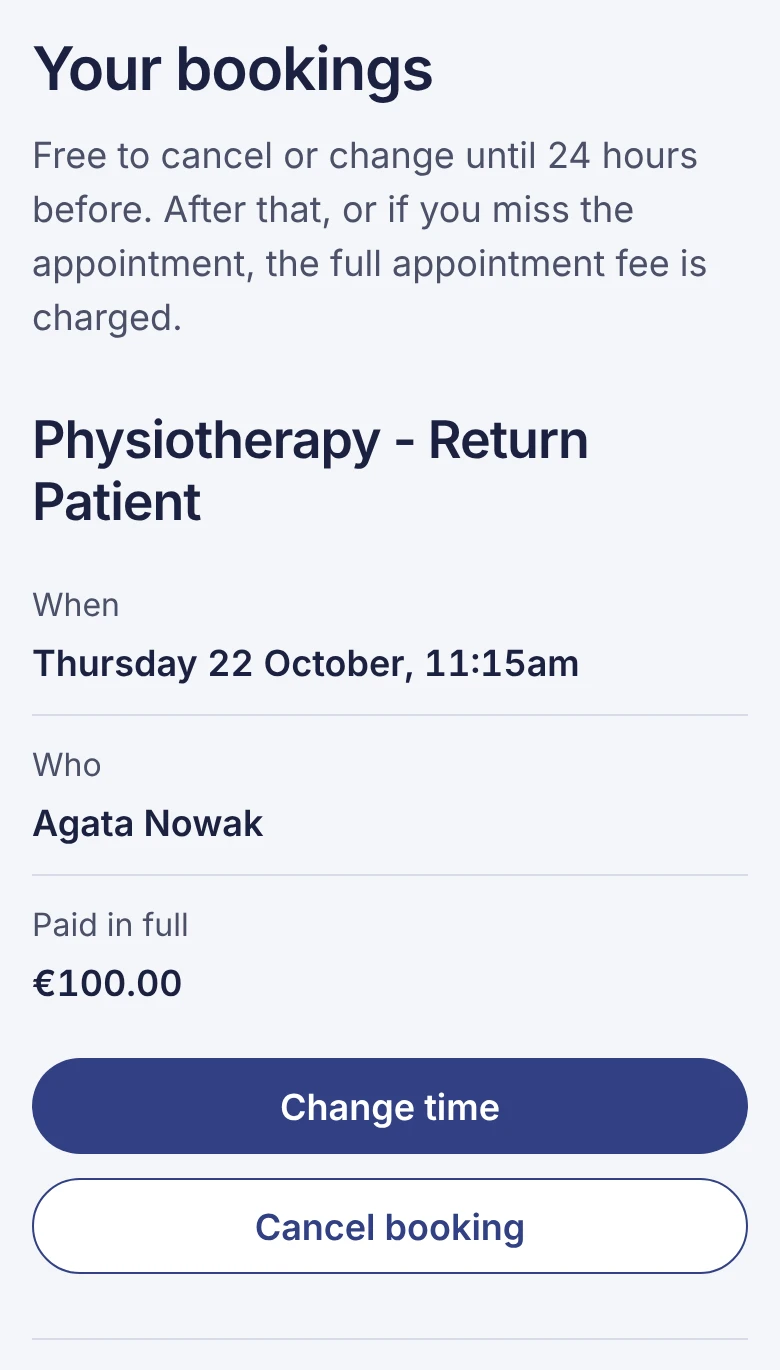 (opens full size in a new tab)
To move it, choose a new day and time, then press Move to …. Your payment moves with it.
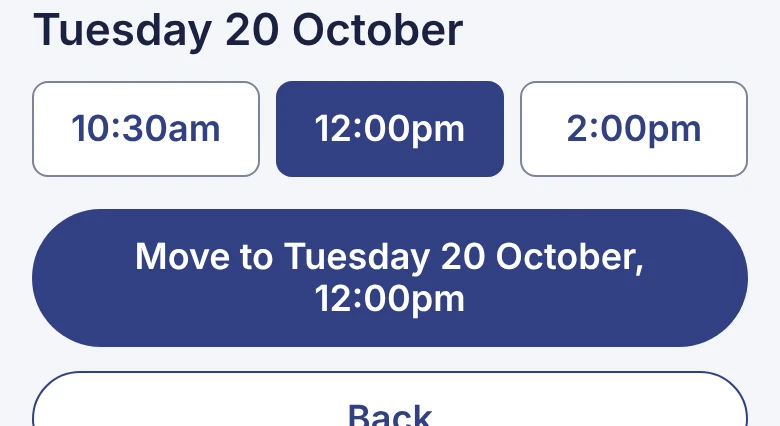 (opens full size in a new tab)
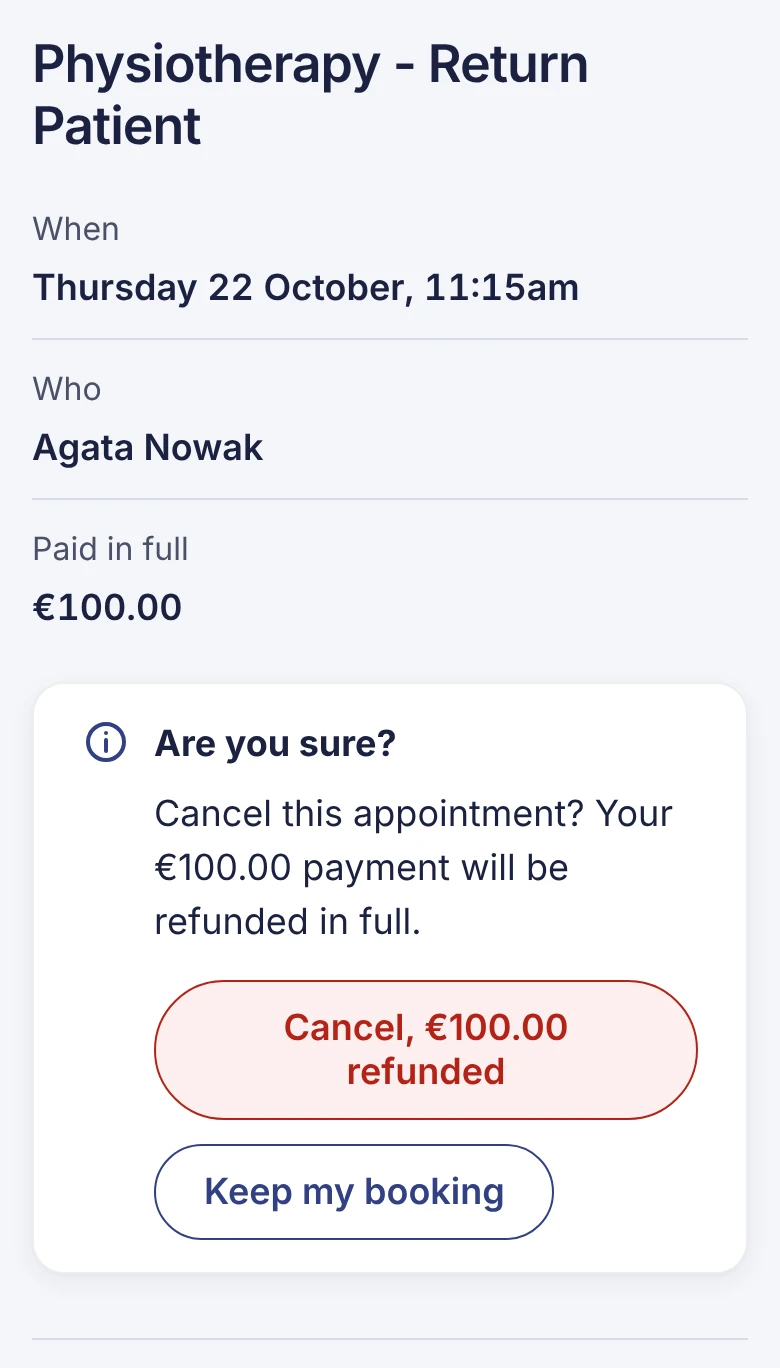
To cancel, press Cancel booking, then confirm with Cancel, €… refunded. You're refunded in full to the card you paid with.
Refunds take 5 to 10 working days to appear on your statement.
 (opens full size in a new tab)
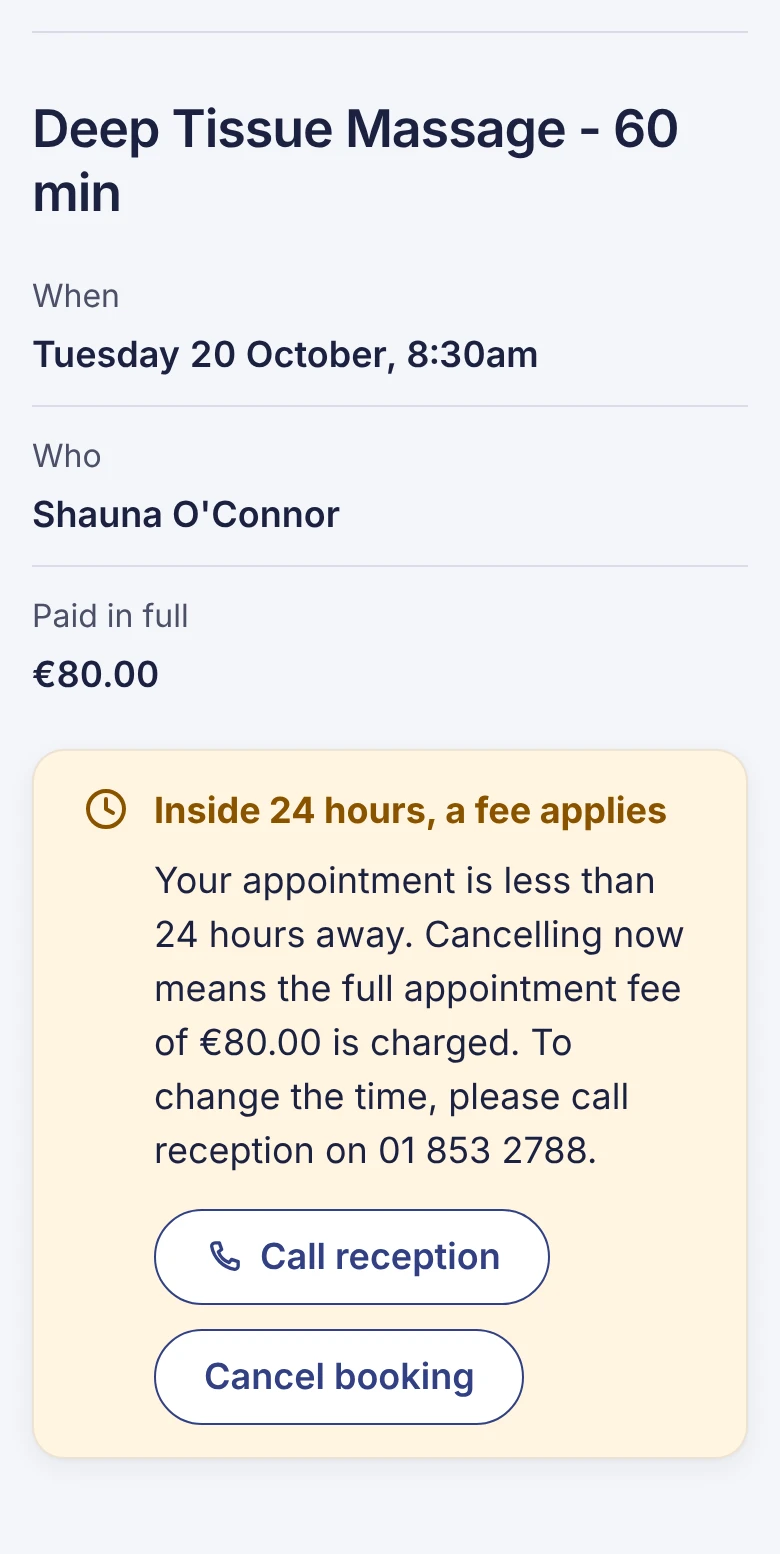
Less than 24 hours to go?
The full appointment fee applies and isn't refunded. You can usually still cancel on this page, but you can't move the time online. To change it, or if you had an emergency, call us on 01 853 2788.
 (opens full size in a new tab)
Can't find your booking? Call us on 01 853 2788.