
For patients
Pay for a booking made by phone
We've sent you a payment link by email or text. Here's how to pay and confirm your appointment.
When you book by phone, we hold your time for 2 hours and send you a secure link to pay. Your appointment is confirmed the moment you pay.
Open the link in our email or text. Texts come from BodyMed and only have the link and the date.
Only open links that go to book.bodymed.ie.
Check the appointment, the time and the price.
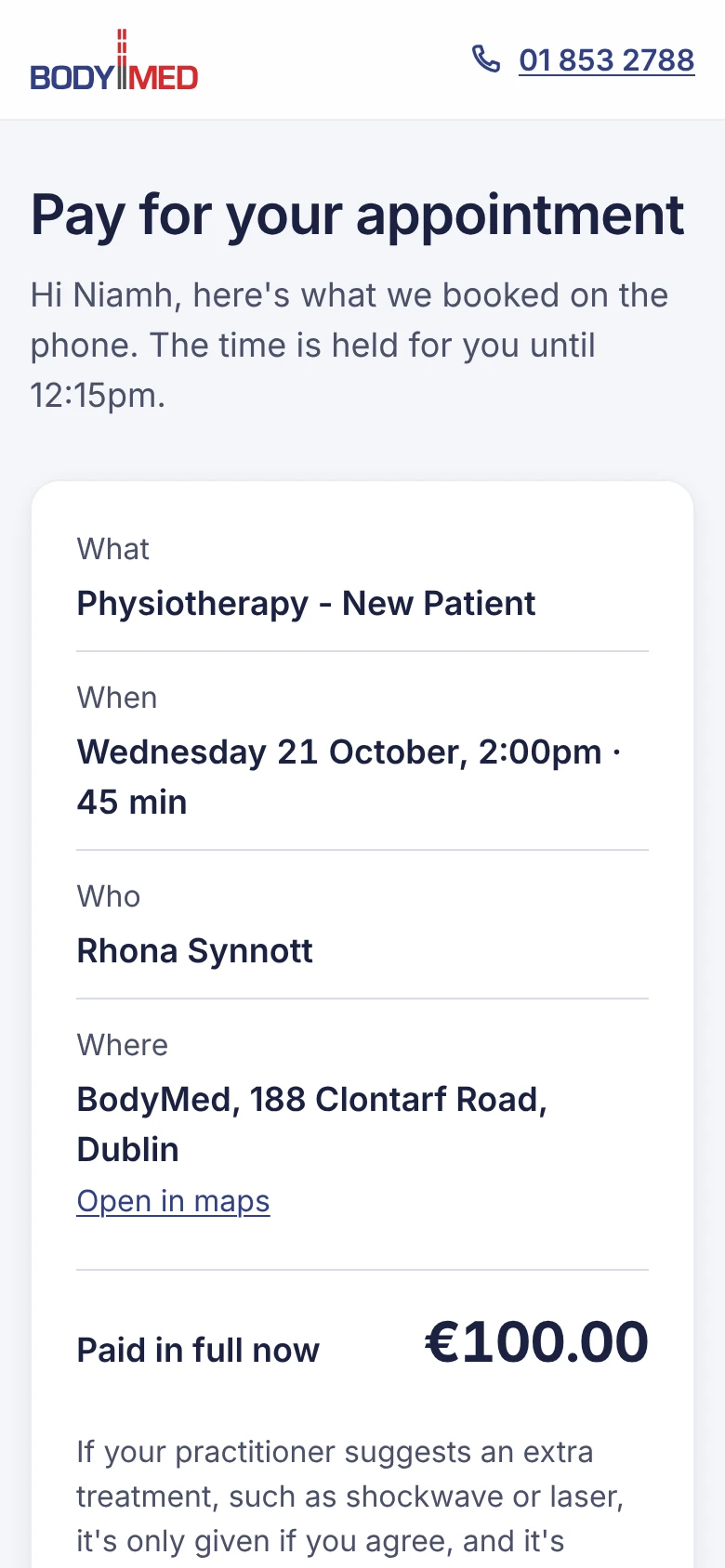 (opens full size in a new tab)
Tick both boxes, for the cancellation policy and the privacy agreement, then press Pay €….
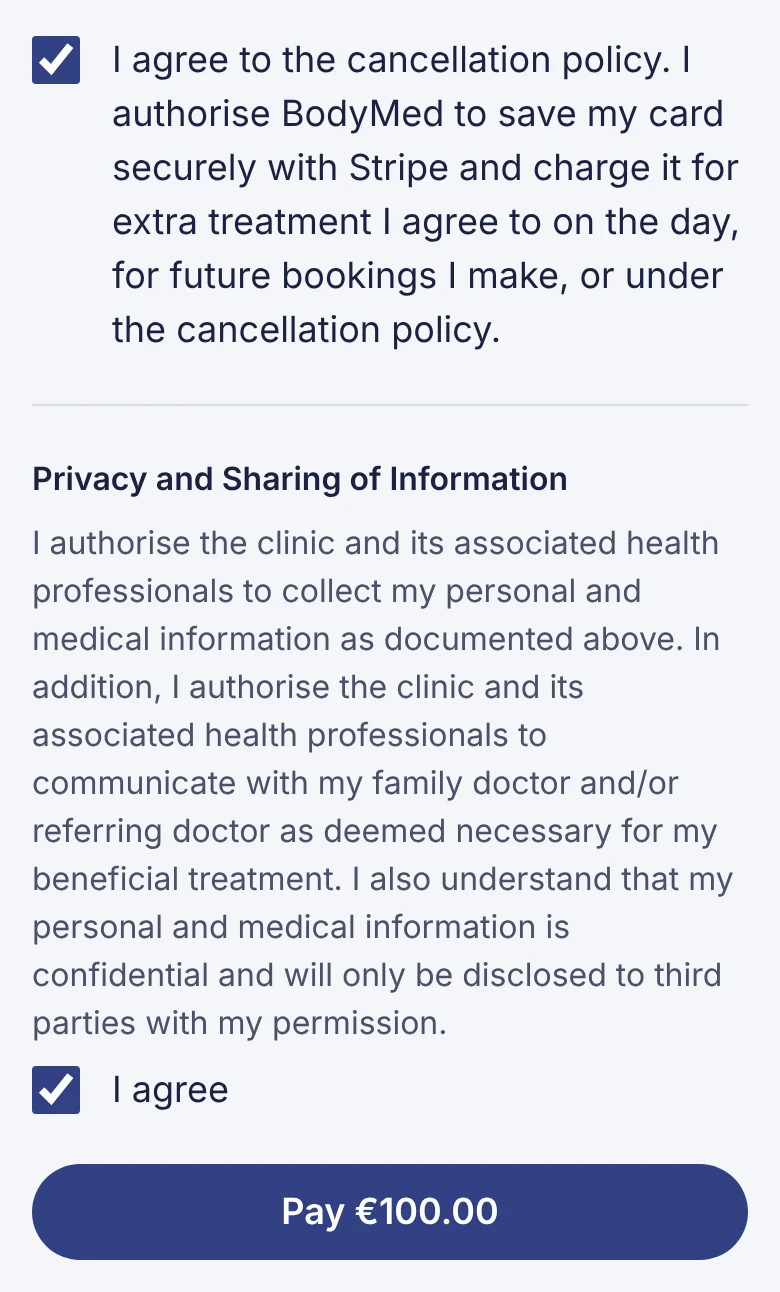 (opens full size in a new tab)
Enter your card on Stripe's page and pay. You come back to a page saying you're booked, and a confirmation email follows.
If the link doesn't work
- It has expired: the 2 hours have passed and the time was freed. Please call us on 01 853 2788 and we'll book you again.
- It says Already paid: you're booked. Your confirmation email has the details, or use Manage a booking.
- Anything else: call us on 01 853 2788.